Building a Real-time Unique Visitor Counter with Next.js and Upstash Redis
Learn how to build a sophisticated, animated unique visitor counter for your portfolio using Next.js 15, Upstash Redis, and Framer Motion.
March 8, 2026
Building a Real-time Unique Visitor Counter with Next.js and Upstash Redis
Adding a visitor counter to your portfolio is a great way to showcase the reach of your work and add a sense of "liveness" to your site. Unlike traditional counters that increment on every refresh, a Unique Visitor Counter ensures that each person is counted only once, providing more accurate analytics.
In this guide, we'll build a modern, animated visitor counter using:
- Next.js 15 (App Router)
- Upstash Redis for high-performance, serverless data storage
- Framer Motion (motion/react) for smooth UI transitions
- Cookies to identify unique sessions
Prerequisites
- A Next.js 15 project
- An Upstash account (Free tier is perfect)
- Basic knowledge of TypeScript and Tailwind CSS
Step 1: Set Up Upstash Redis
Upstash provides a serverless Redis database that's incredibly easy to use with Next.js.
- Go to the Upstash Console and create a new Redis database.
- Select a region close to your deployment.
- Once created, find the REST API section.
- Copy the
UPSTASH_REDIS_REST_URLandUPSTASH_REDIS_REST_TOKEN.
Step 2: Environment Variables
Add your credentials to your .env.local file. This ensures your sensitive tokens aren't exposed in your code.
UPSTASH_REDIS_REST_URL="https://your-db-url.upstash.io"
UPSTASH_REDIS_REST_TOKEN="your-secret-token"
Step 3: Install the Upstash Redis Client
Install the official client to interact with your database:
npm install @upstash/redis
Step 4: Create the Backend API Route
We'll create an API route that checks for a "visitor" cookie. If it doesn't exist, we increment the counter in Redis and set the cookie.
app/api/visitor/route.ts
import { Redis } from "@upstash/redis";
import { cookies } from "next/headers";

const redis = Redis.fromEnv();

export async function GET() {
  const cookieStore = await cookies();
  const visitor = cookieStore.get("visitor");

  let count = await redis.get<number>("visitors");

  if (!visitor) {
    // Increment the 'visitors' key in Redis
    count = await redis.incr("visitors");

    // Set a cookie that expires in 1 year
    cookieStore.set("visitor", "true", {
      maxAge: 60 * 60 * 24 * 365,
      path: "/",
      httpOnly: true,
      sameSite: "lax",
    });
  }

  return Response.json({ count });
}
Step 5: Create the Frontend Component
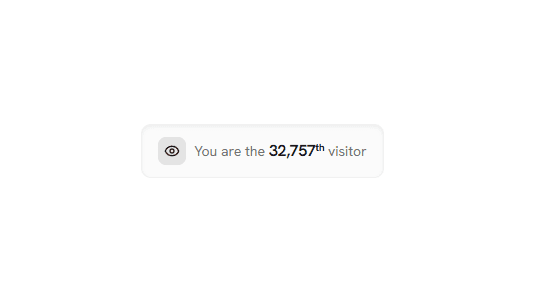
Now, let's build a beautiful, animated component to display the count. We'll use motion/react for a smooth entry animation and a pulsing "live" indicator.
components/provider/unique-visitor.tsx
"use client";

import { useEffect, useState } from "react";
import { motion, AnimatePresence } from "motion/react";

export default function VisitorCounter() {
  const [count, setCount] = useState<number | null>(null);

  useEffect(() => {
    fetch("/api/visitor")
      .then((res) => res.json())
      .then((data) => setCount(data.count))
      .catch((err) => console.error("Failed to fetch visitor count:", err));
  }, []);

  return (
    <AnimatePresence mode="wait">
      {count !== null && (
        <motion.div
          initial={{ opacity: 0, y: 10 }}
          animate={{ opacity: 1, y: 0 }}
          exit={{ opacity: 0, y: -10 }}
          transition={{ duration: 0.5, ease: [0.23, 1, 0.32, 1] }}
          className="flex w-fit items-center gap-2 rounded-full border border-neutral-200 bg-neutral-100/50 px-3 py-1.5 backdrop-blur-sm dark:border-neutral-700 dark:bg-neutral-800/50"
        >
          {/* Pulsing indicator - subtle visual detail */}
          <span className="relative flex h-2 w-2">
            <span className="absolute inline-flex h-full w-full animate-ping rounded-full bg-emerald-400 opacity-75"></span>
            <span className="relative inline-flex h-2 w-2 rounded-full bg-emerald-500"></span>
          </span>

          <p className="text-xs font-semibold tracking-tight text-neutral-600 dark:text-neutral-400">
            <span className="text-neutral-900 dark:text-neutral-100">
              {count.toLocaleString()}
            </span>
            <span className="ml-1 opacity-70">unique visitors</span>
          </p>
        </motion.div>
      )}
    </AnimatePresence>
  );
}
Step 6: Usage in Your Layout
You can now place this component anywhere in your app. The footer is usually a great spot!
import VisitorCounter from "@/components/provider/unique-visitor";

export default function Footer() {
  return (
    <footer>
      {/* Other footer content */}
      <VisitorCounter />
    </footer>
  );
}
Features Explained
Unique Identification
By using next/headers to manage cookies, we ensure that a single user doesn't inflate your numbers by refreshing the page. The cookie is set to last for a year, providing long-term unique tracking.
Serverless Performance
Using Upstash Redis means we don't have to manage a database server. It's extremely fast and scales automatically, making it perfect for portfolio sites.
"Digital Craftsman" Aesthetic
The UI uses backdrop-blur, semi-transparent backgrounds, and a pulsing status indicator to create a high-end, technical feel that aligns with modern design standards.
Smooth Motion
The component uses AnimatePresence to handle its entrance, ensuring it doesn't just "pop" onto the screen once the data is loaded.
Conclusion
You've now built a production-ready unique visitor counter! It's accurate, performant, and looks great. Small details like this are what set a professional portfolio apart from a basic one. It shows you care about both data and the user experience.
Happy building! 🚀